Have you ever sent follow requests on Instagram and wondered who hasn’t accepted them yet? You're not alone. Many users are asking:
- How do I see my pending follow requests on Instagram?
- What does pending follow request mean?
- Is there a way to view all my follow requests that haven't been accepted?
This guide will walk you through exactly how to find your Pending Follow Requests using a simple and safe method without logging in to third-party apps. You’ll use Instagram’s own data export feature and a helpful tool called Unfollowers Tracker.
You can go directly to the Pending Requests tool if you already have your ZIP file downloaded.
What Is a Pending Follow Request?
A pending follow request means you've requested to follow someone with a private Instagram account, but they haven’t accepted or declined it yet. The request is still "pending" and invisible to you unless you manually track it. Instagram doesn't offer a built-in way to see all your pending requests at once, but there's a workaround and it's 100% legit.
How to View Pending Follow Requests on Instagram (Step-by-Step)
If you’re not familiar with how to request your Instagram data, you can follow this detailed tutorial that explains each step with images.
Here’s how you can easily discover your pending follow requests using Unfollowers Tracker.
Step 1: Request Your Instagram Data (ZIP File)
- Open your Instagram profile.
- Tap the menu icon (three horizontal lines in the top-right).
- Tap Settings and Activity.
- In the search bar, type “Download your information” and select it.
- Choose Download or transfer information.
- Select your Instagram account and press Next.
- Choose Some of your information.
- Under the Connection section, select Followers and following and press Next.
- Choose Download to device and press Next.
- Click Date range → select All time and click Save.
- Click Format → choose JSON.
- Press Create files.
Instagram will send you an email once your ZIP file is ready to download.
Step 2: Download and Upload the ZIP File to Unfollowers Tracker
1. Download the ZIP file from the email or directly from Instagram.
2. Go to the Unfollowers Tracker Pending Requests tool.
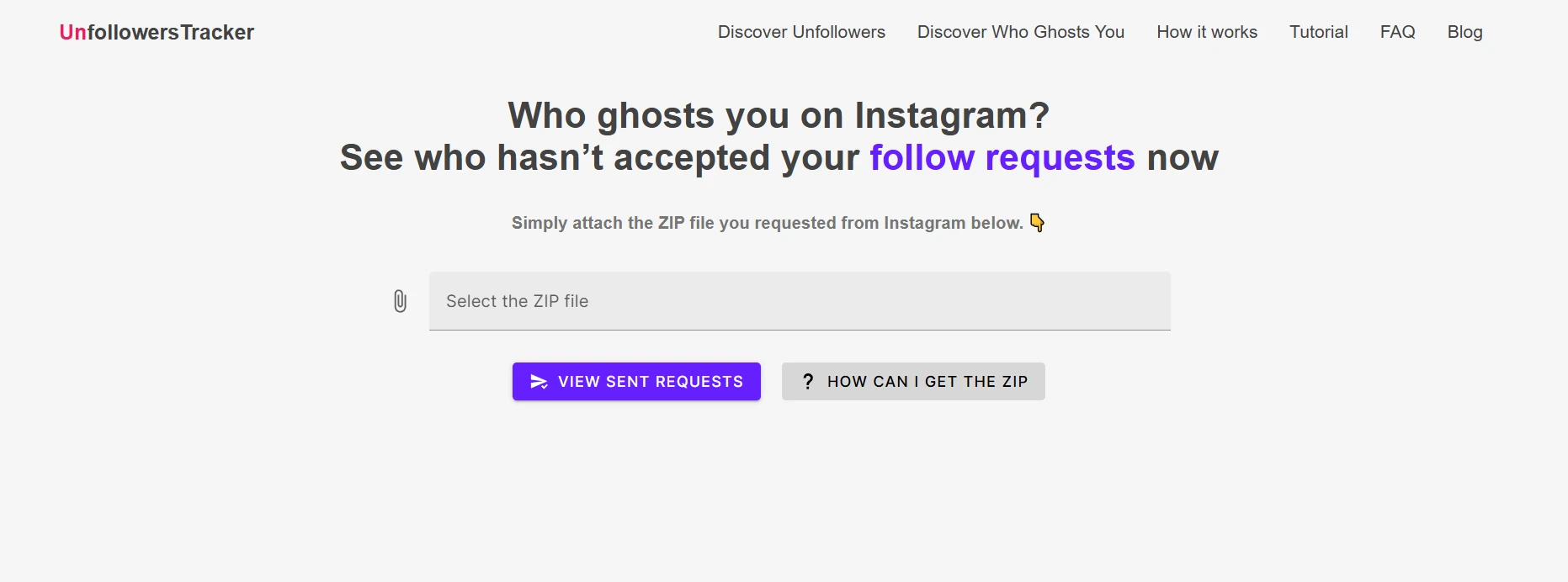
3. Upload the ZIP file
4. Click Discover pending requests
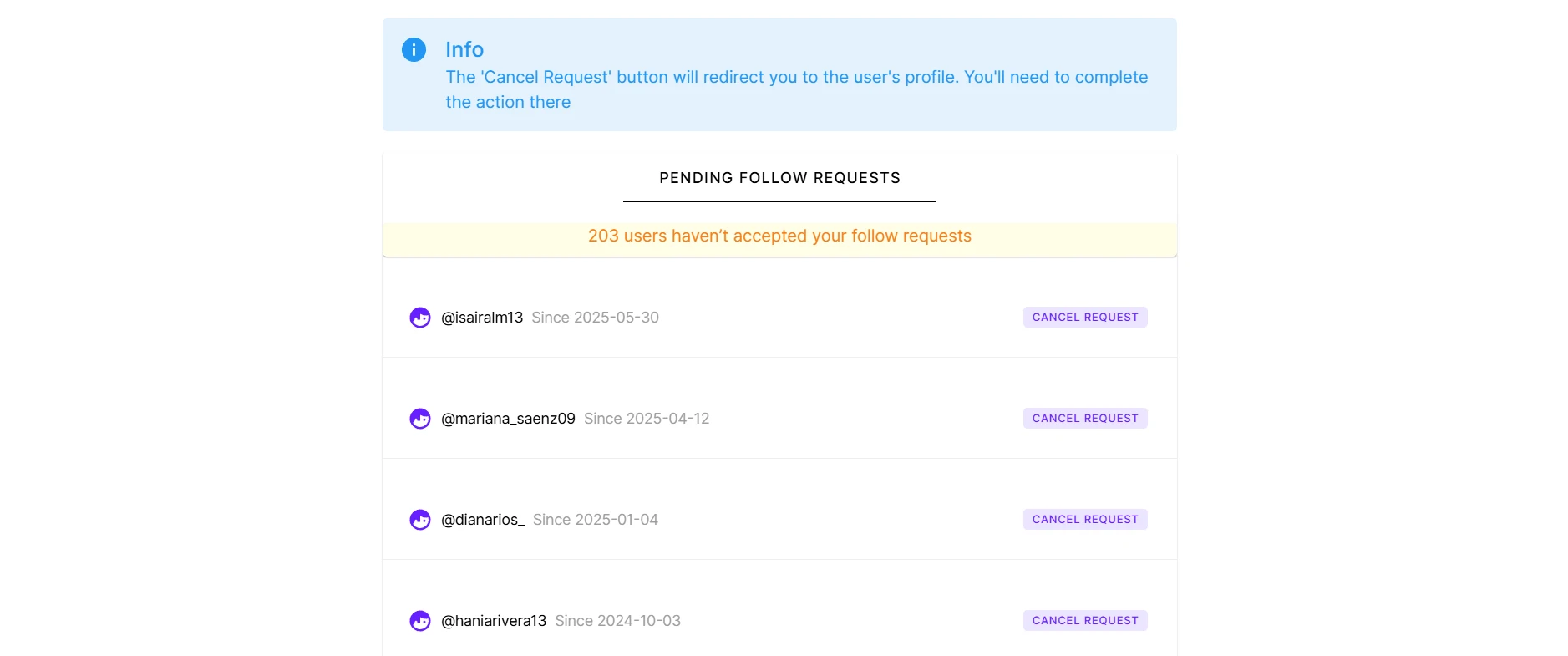
That’s it! You'll now see a list of accounts that haven’t accepted your follow requests — all presented in a clear, secure, and easy-to-read way.
You can also use Unfollowers Tracker to see who doesn’t follow you back by uploading the same ZIP file — it’s a versatile tool for managing your Instagram presence.
Is This Method Safe?
Yes. This method uses Instagram’s official data export feature, and Unfollowers Tracker doesn’t ask for your password or login. You simply upload a ZIP file that contains only the necessary data. It’s secure, private, and respects your Instagram privacy.
Why Should You Check Your Pending Requests?
- Clean up old or forgotten follow requests.
- Avoid appearing spammy by having too many unanswered requests.
- Gain control over your Instagram interactions.
- Reconsider following private accounts that don’t follow back.
Instagram doesn’t make it easy to check your pending follow requests, but now you have a quick and secure way to do it. With Unfollowers Tracker, you can easily discover who hasn’t accepted your requests — all while staying in control of your privacy and data.
Give it a try today and clean up your pending follow requests!
Visit Unfollowers Tracker and find out who hasn't accepted your follow requests yet.