If you want to know who unfollowed you on Instagram or check your pending follow requests, the most secure and accurate way is by downloading your Instagram Data ZIP File and uploading it into Unfollowers Tracker.
This guide will explain step by step how to download your Instagram ZIP file, prepare the JSON data, and use it to track unfollowers safely — without sharing your Instagram password.
Why You Need the Instagram Data ZIP File
Instagram allows you to export your full account information in a ZIP file. Inside this file, you’ll find your followers and following lists in JSON format.
By using the Instagram ZIP file for Unfollowers Tracker, you can:
- Find out who doesn’t follow you back
- Check pending follow requests
- Analyze your Instagram network without exposing your login details
This process is 100% safe, since all data comes directly from Instagram itself.
Quick Guide: How to Download Instagram Data ZIP File
Here’s a quick summary before we go into details:
- Go to your Instagram profile menu.
- Select Accounts Center.
- Under Account Settings, choose Your Information and Permissions.
- Click Download Your Information.
- Select Create Export.
- Choose your profile.
- Set Export to Device.
- Confirm export details:
- Enter your email.
- Select Followers and Following only.
- Choose All Time as date range.
- Select JSON format.
- Click Start Export.
- Wait for Instagram’s confirmation email.
- Download the ZIP file.
- Wait for the confirmation email from Instagram.
- Upload it to Unfollowers Tracker to see results.
You can view the complete guide of this article in this video: How to get the ZIP file for Unfollowers Tracker
Step-by-Step: Download Instagram ZIP Followers File
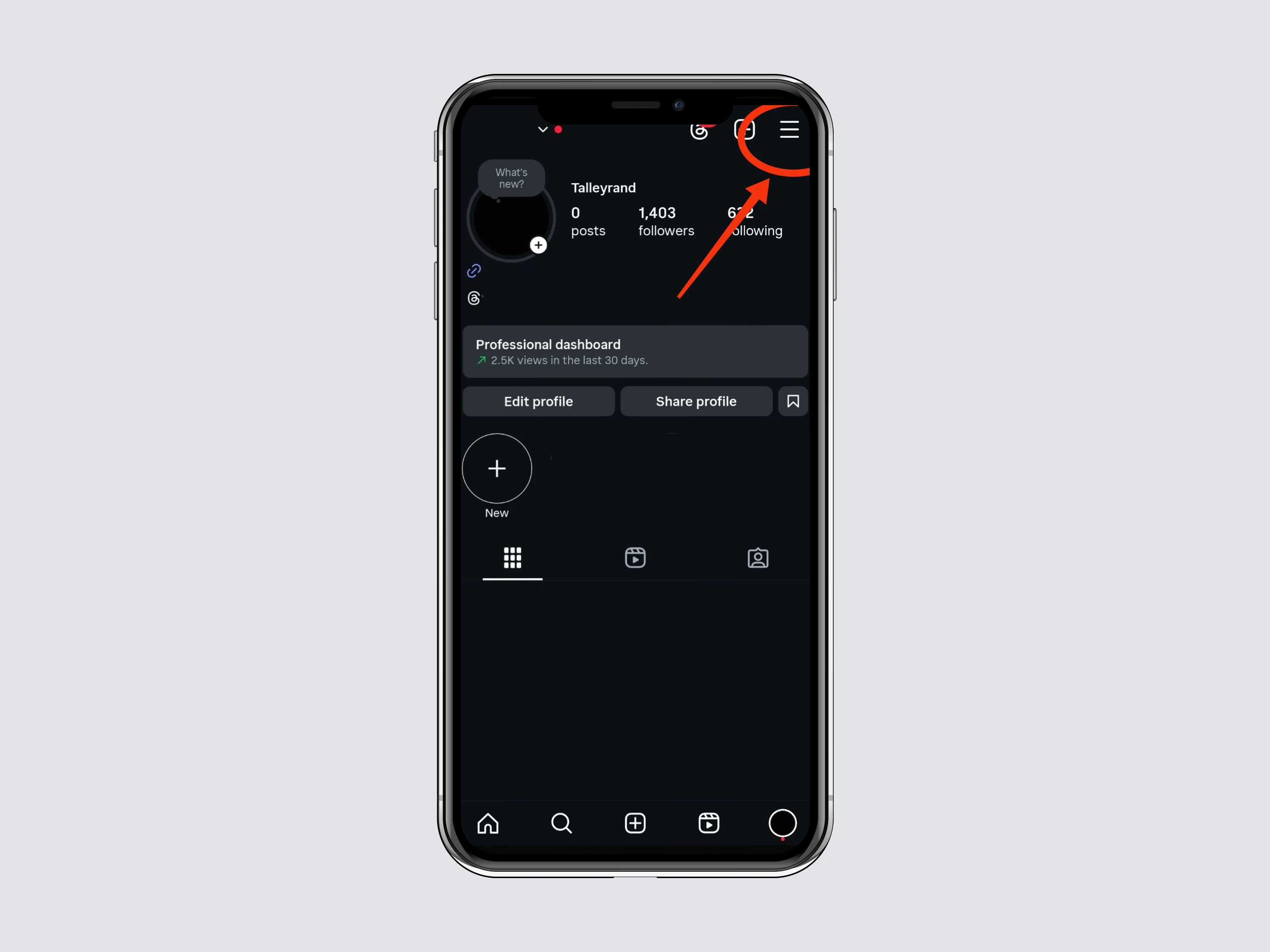
Step 1: Open Your Instagram Profile Menu
Log into your Instagram account and tap the top-right menu icon to open settings.
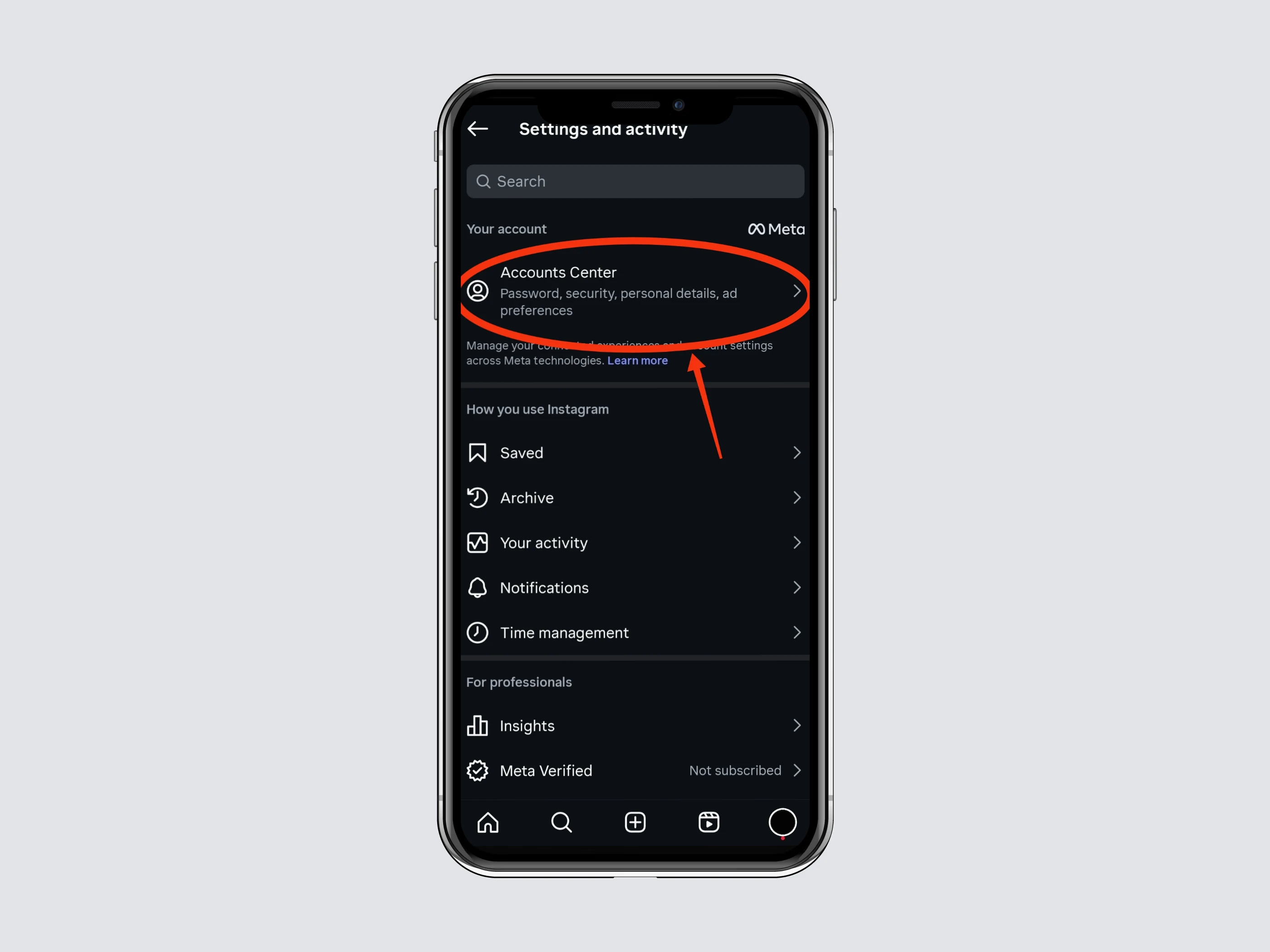
Step 2: Go to “Accounts Center”
Tap Accounts Center from the menu
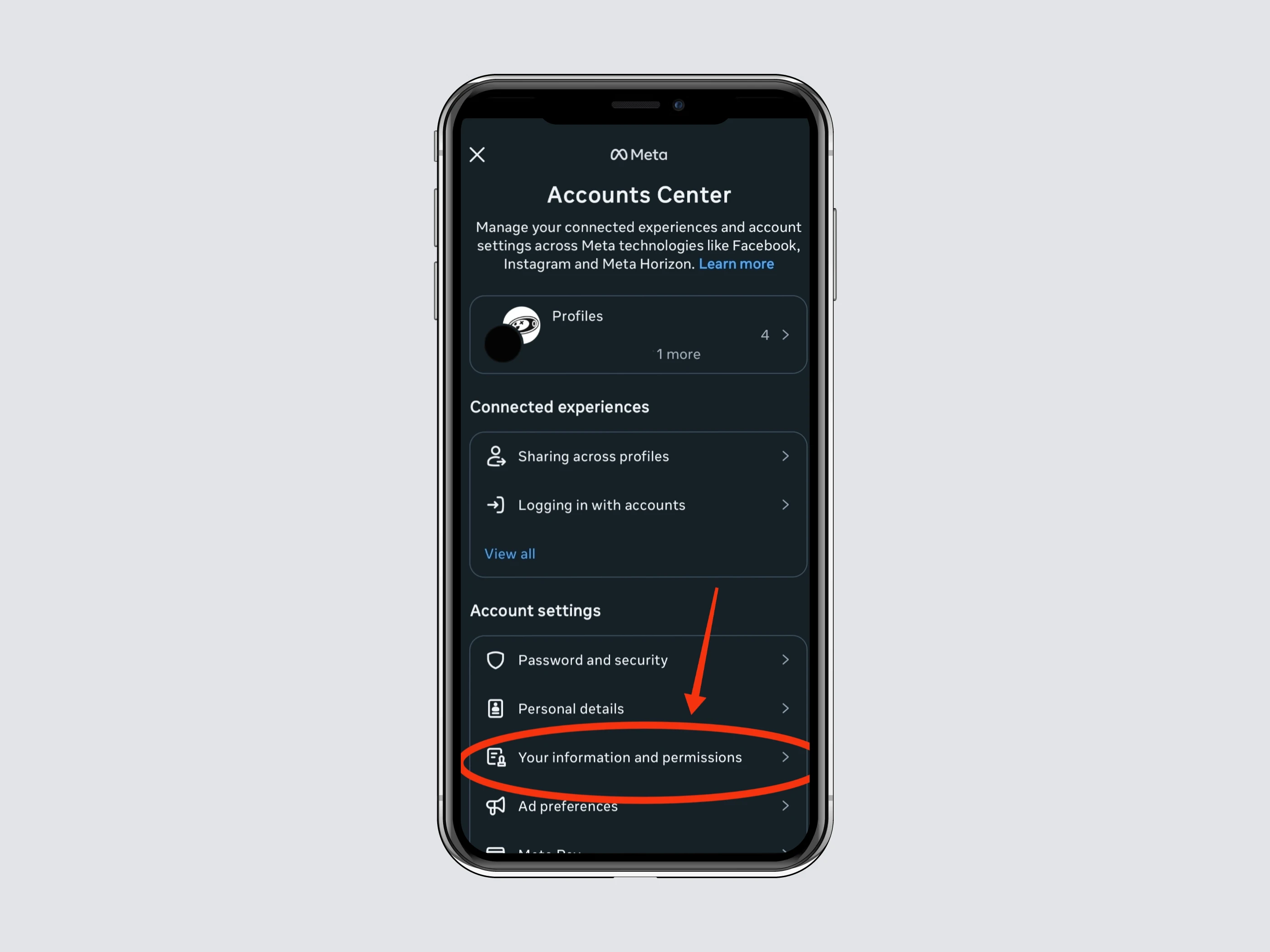
Step 3: Your Information & Permissions
In Account Settings, select Your Information and Permissions.
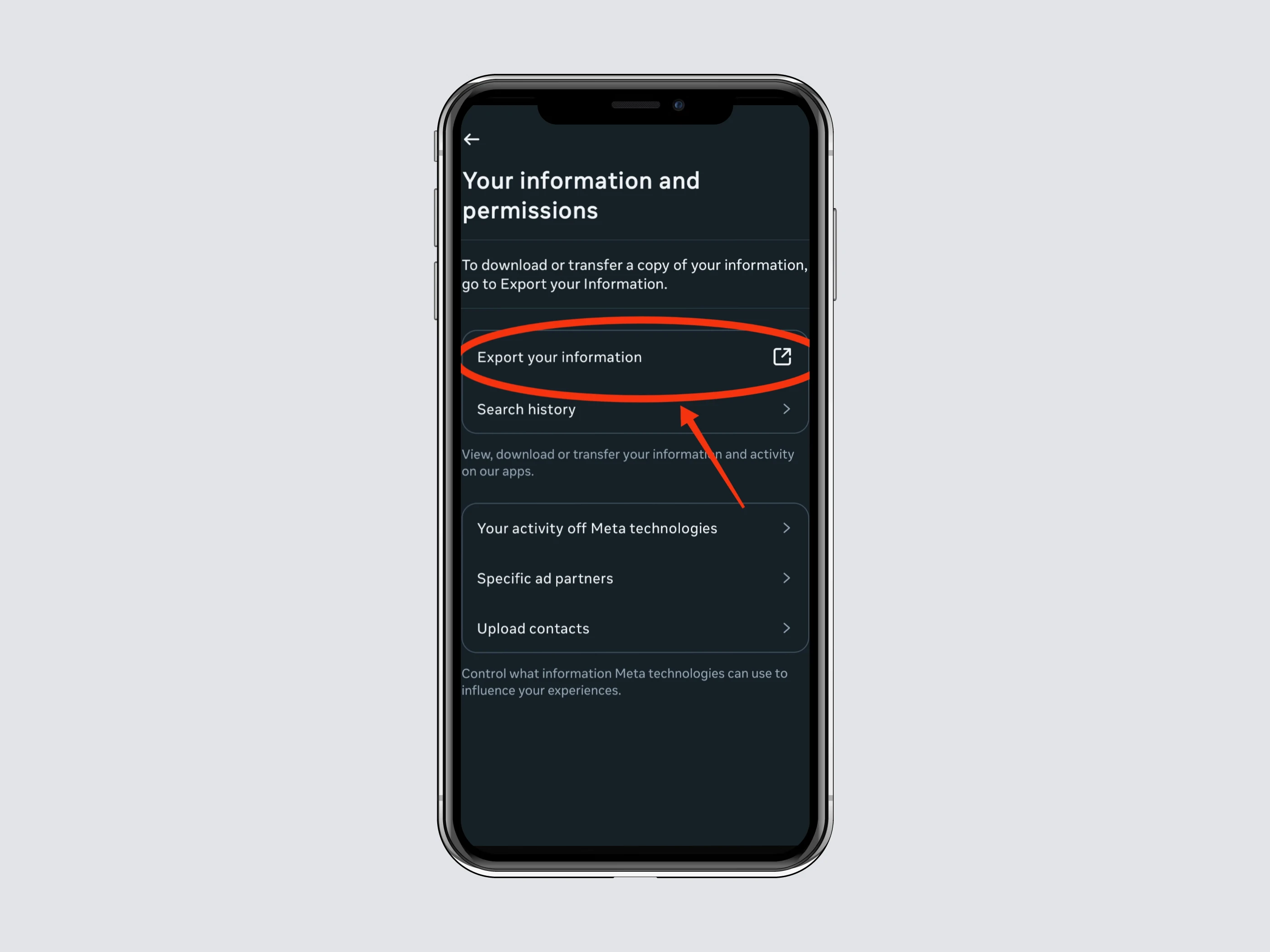
Step 4: Export your information
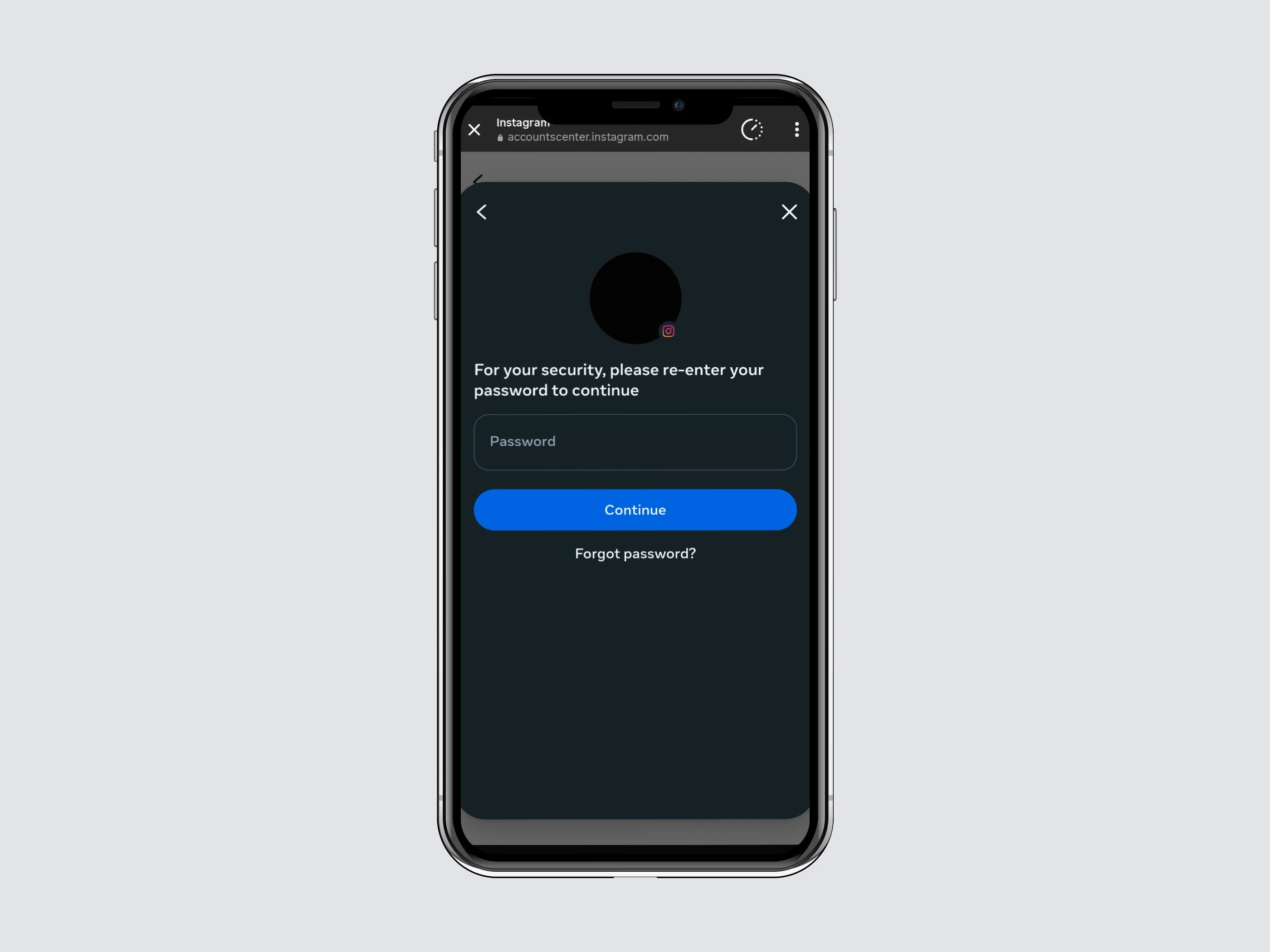
Tap Export Your Information. If it’s your first time, Instagram will ask you to log in again.
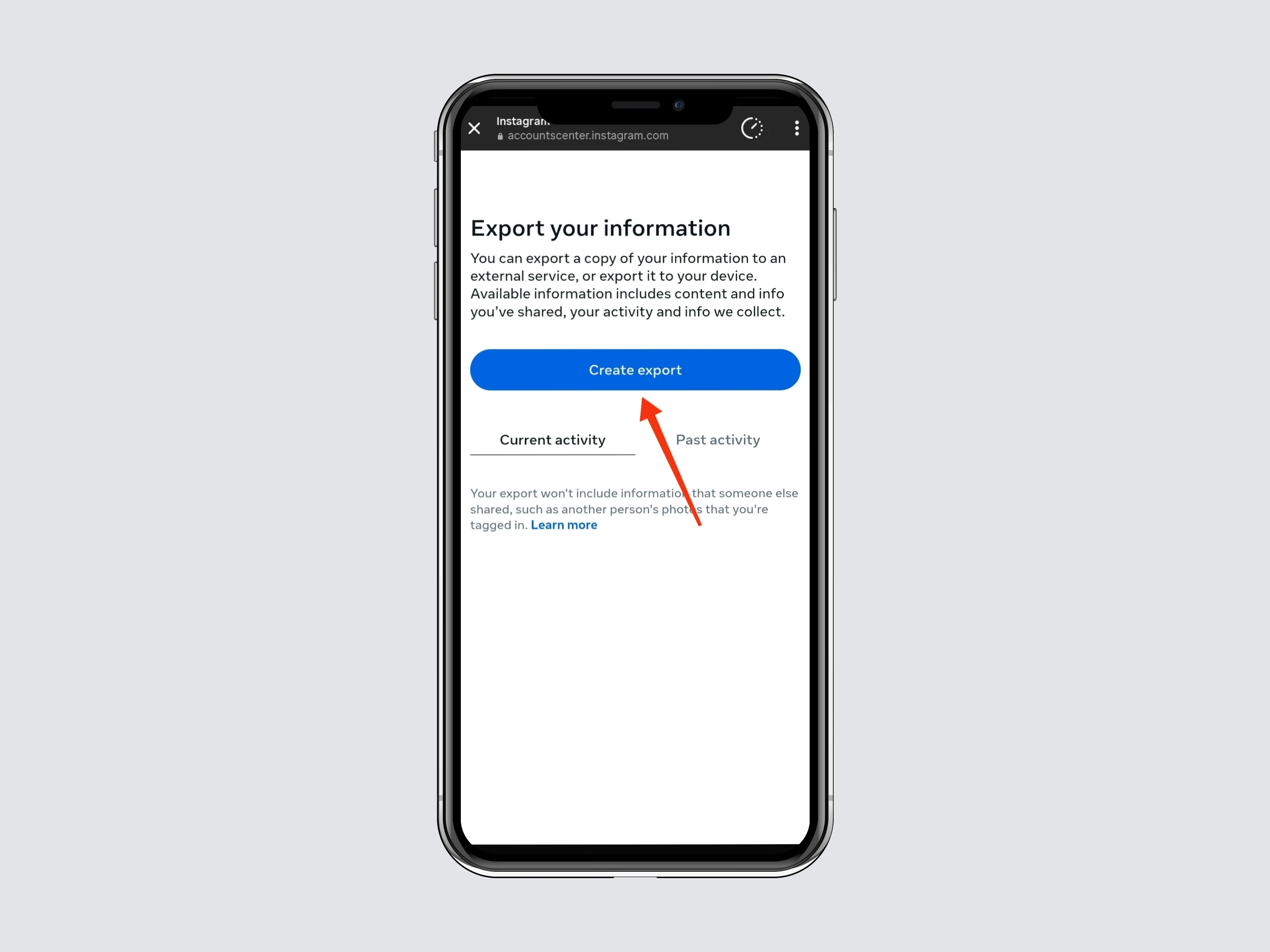
Step 5: Create Export
Click Create Export to start the process.
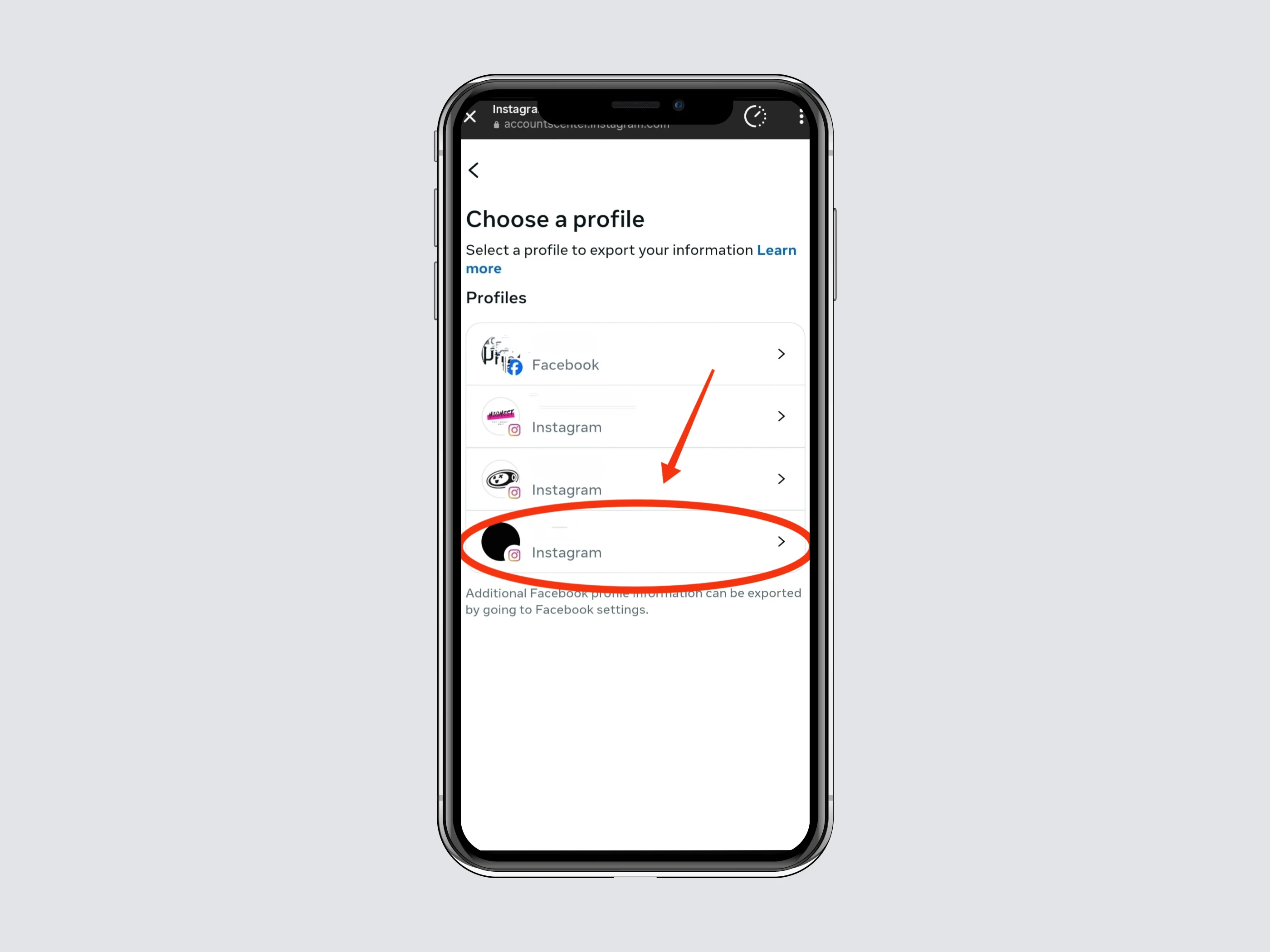
Step 6: Select Your Profile
Select the profile for which you want to download data.
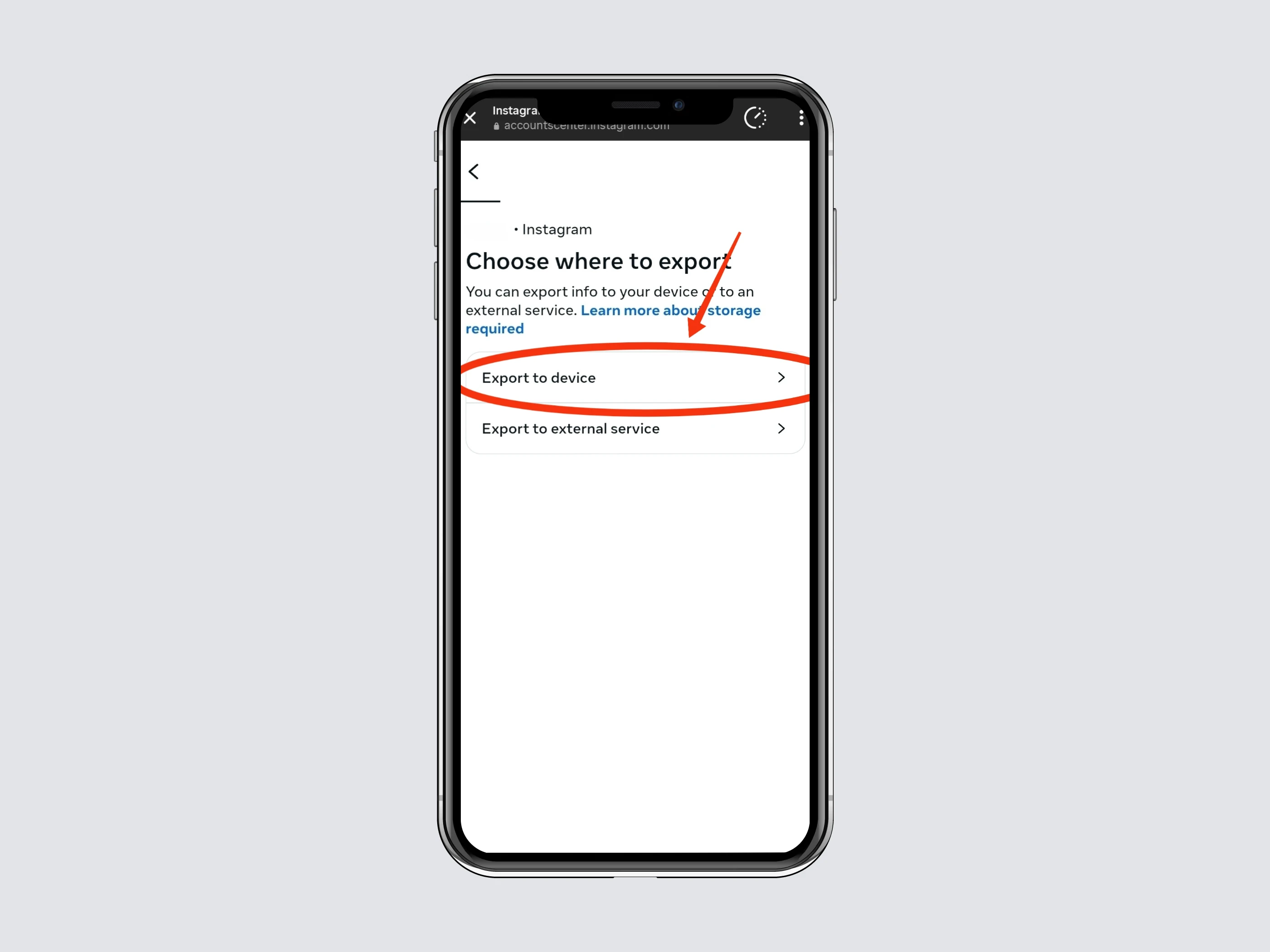
Step 7: Choose Where to Export
Select Export to Device to save the file directly on your device.
Step 8: Confirm Your Export Settings
8.1 Notify
Make sure the email listed under Notify is correct.
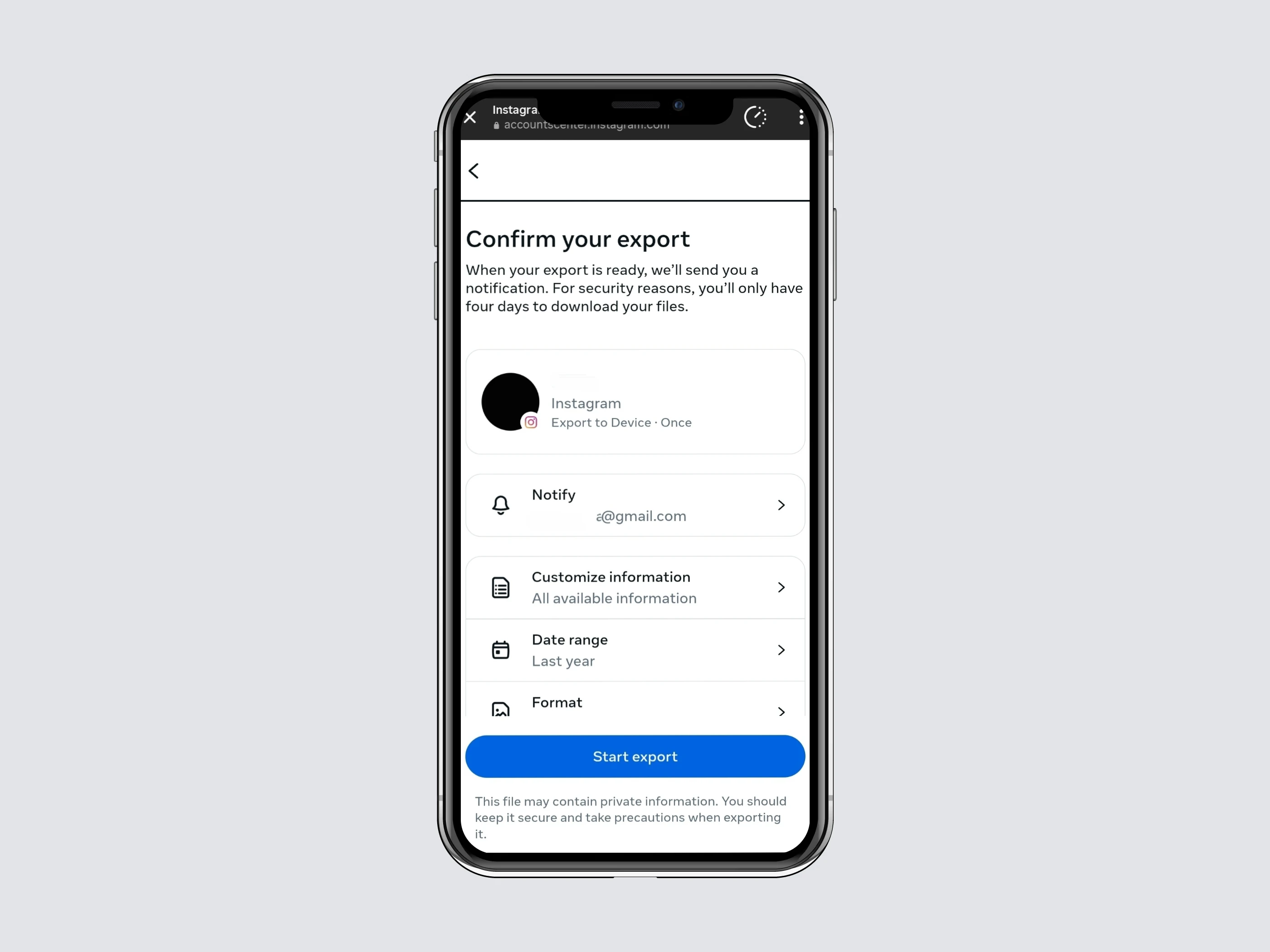
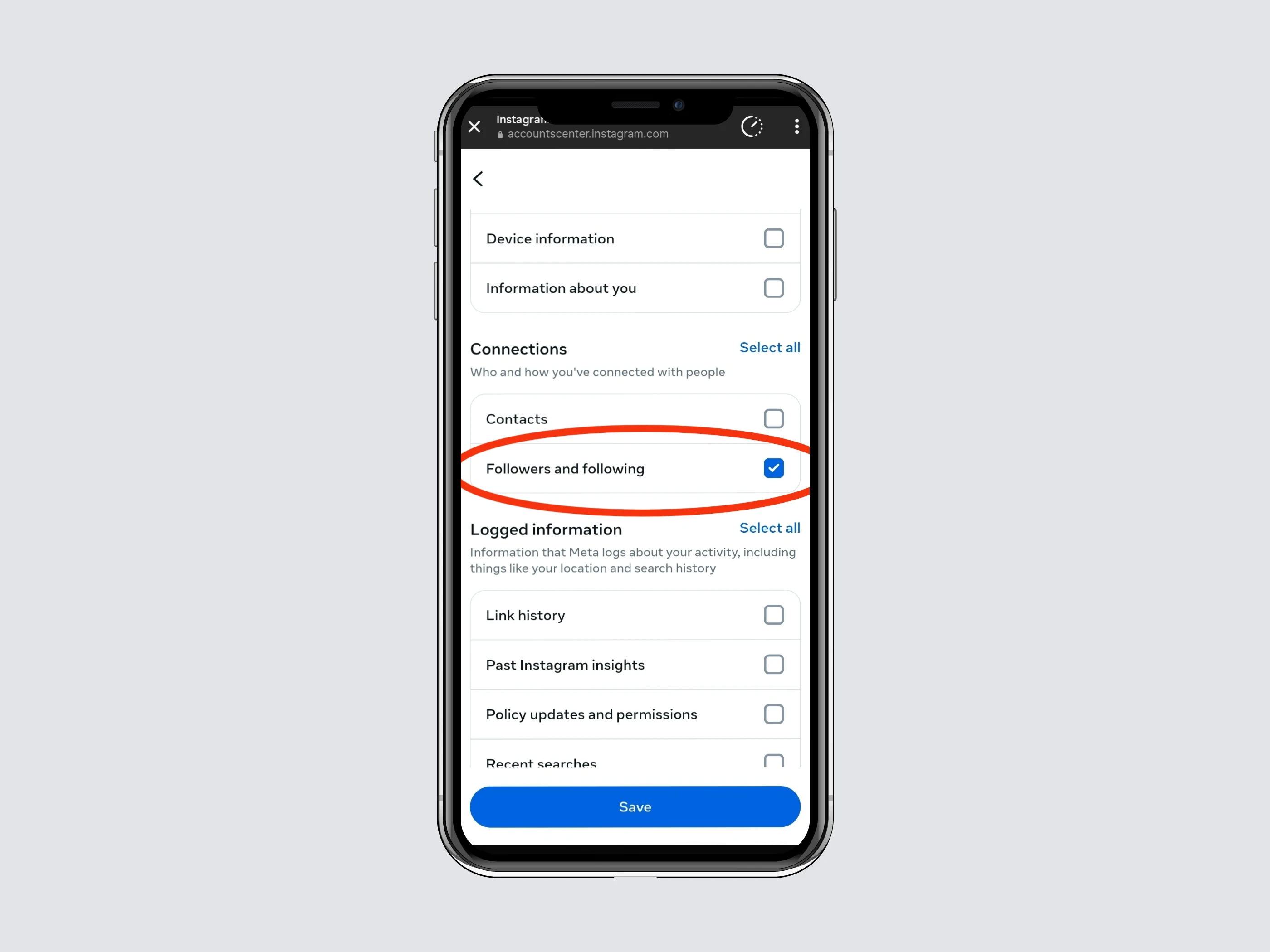
8.2 Customize Information
Clear all preselected options and select Followers and Following only.
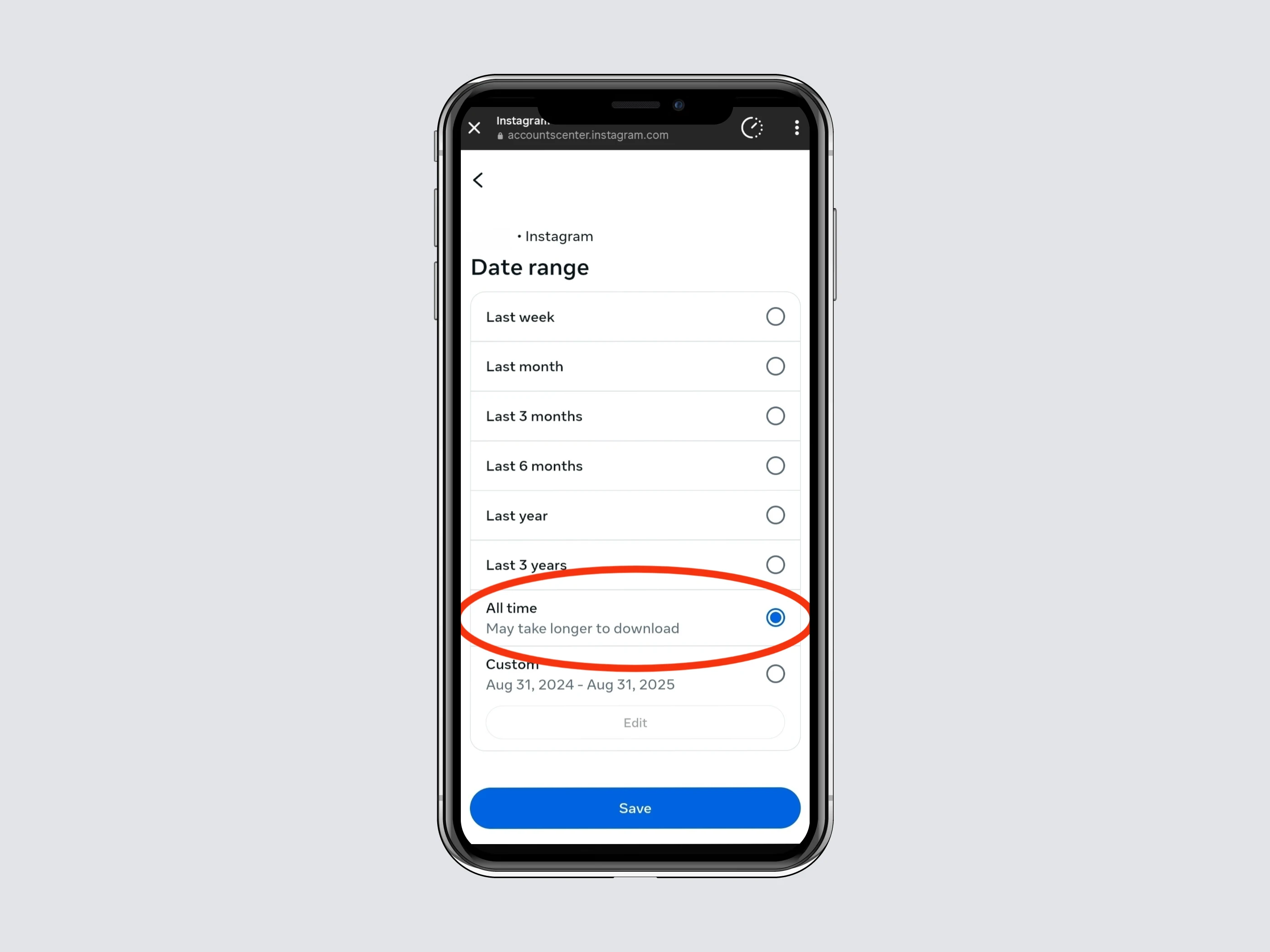
8.2 Date range
Choose All Time.
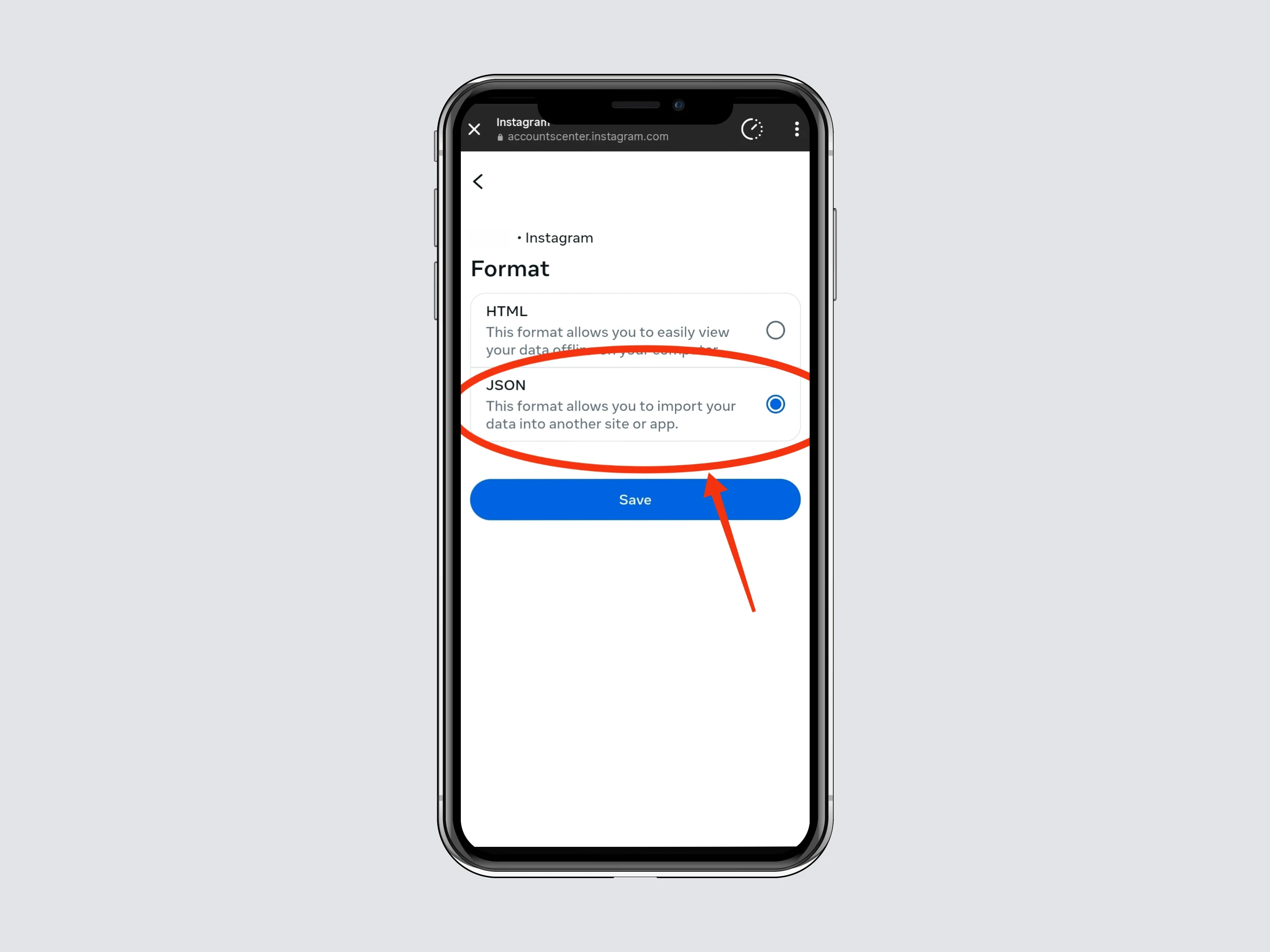
8.4 Format
Select JSON (this is crucial for compatibility with Unfollowers Tracker).
Step 9: Start the Export
Once these settings are confirmed, your summary should look like this:
- Notify: Your email
- Customize Information: Followers and Following only
- Date Range: All Time
- Format: JSON
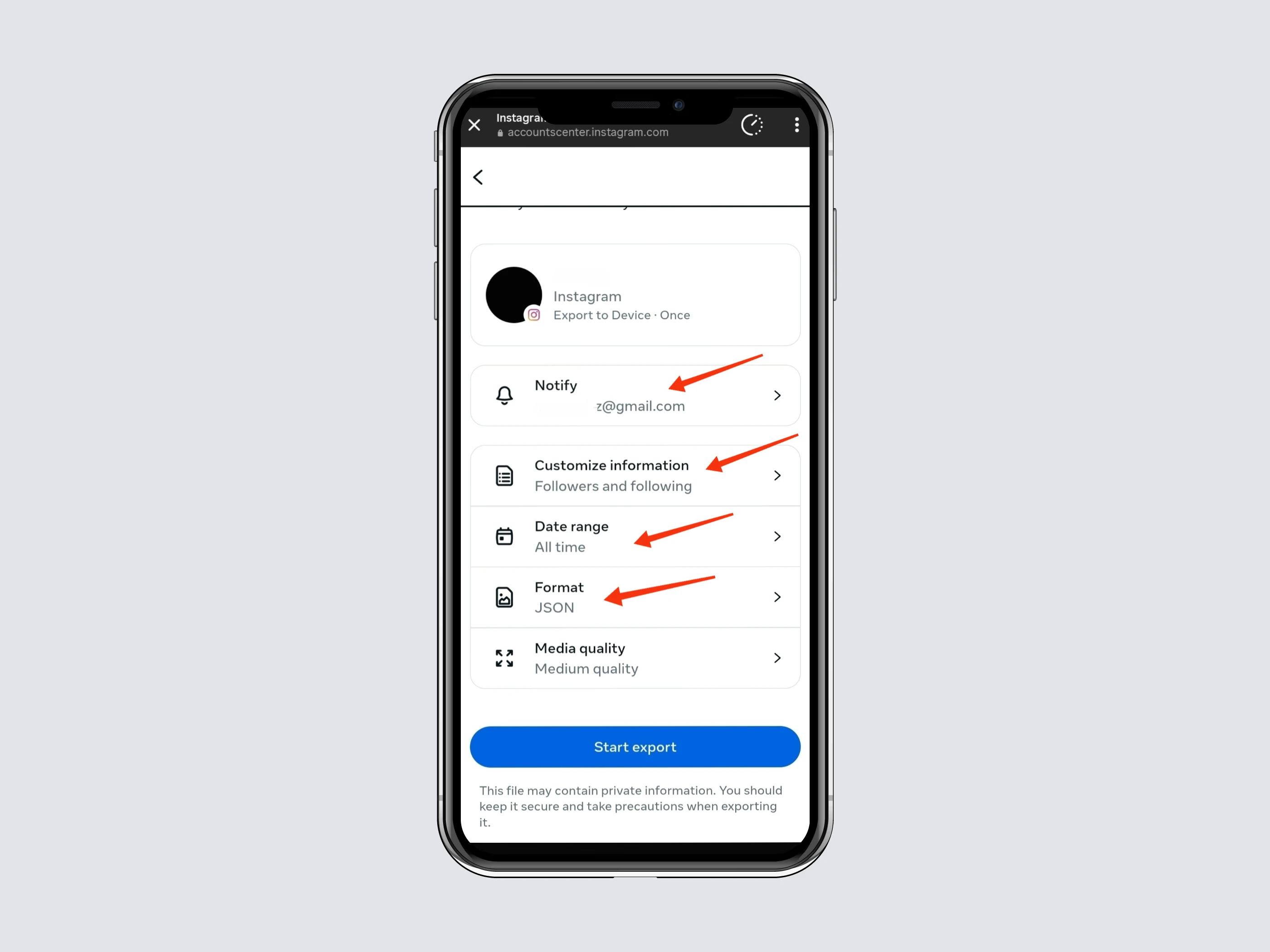
Click Start Export. Instagram will prepare your file, which can take up to 5 minutes.
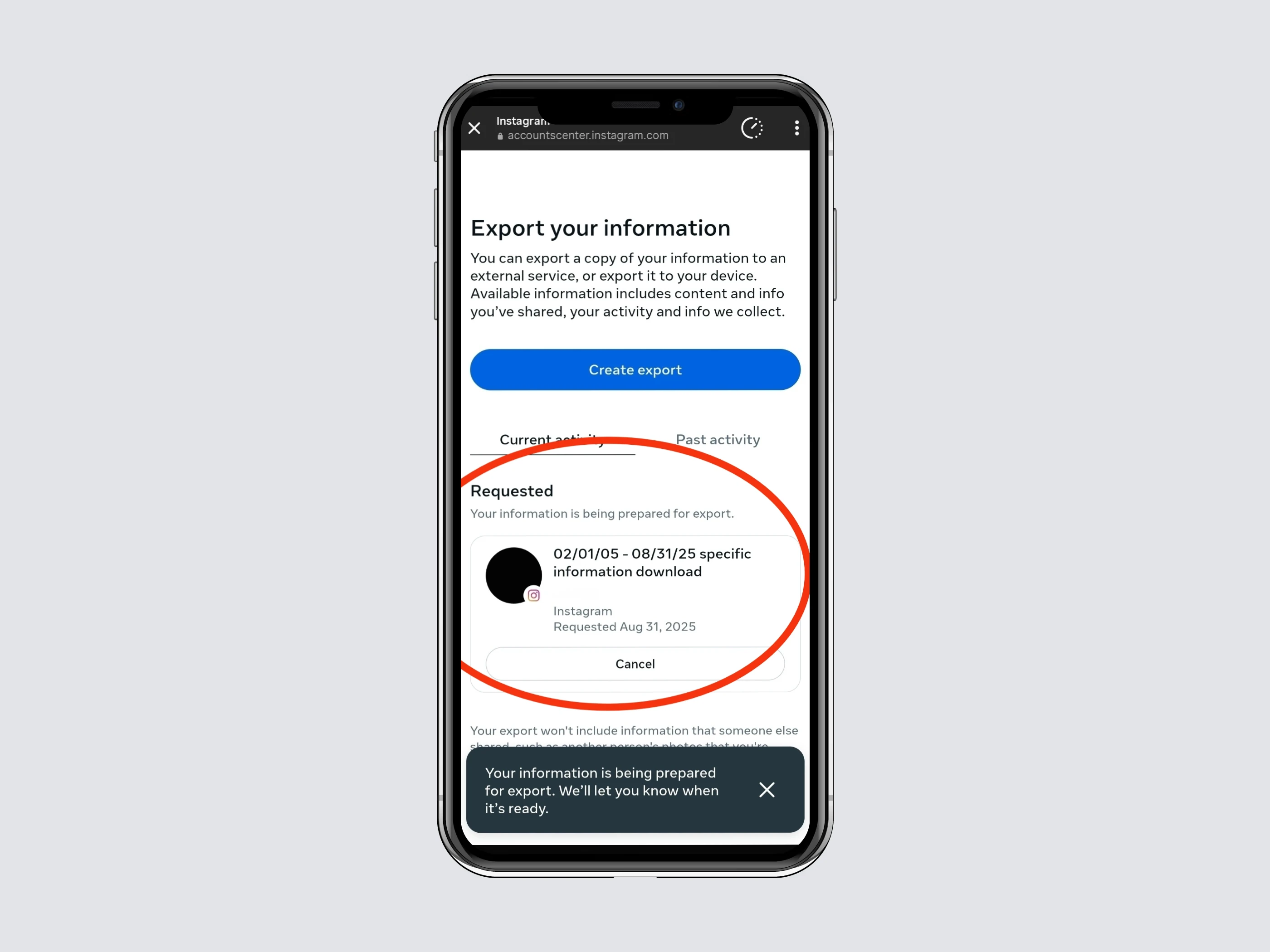
Step 10: Wait for Instagram’s Email
You’ll get an email notification when your Instagram ZIP file is ready to download.
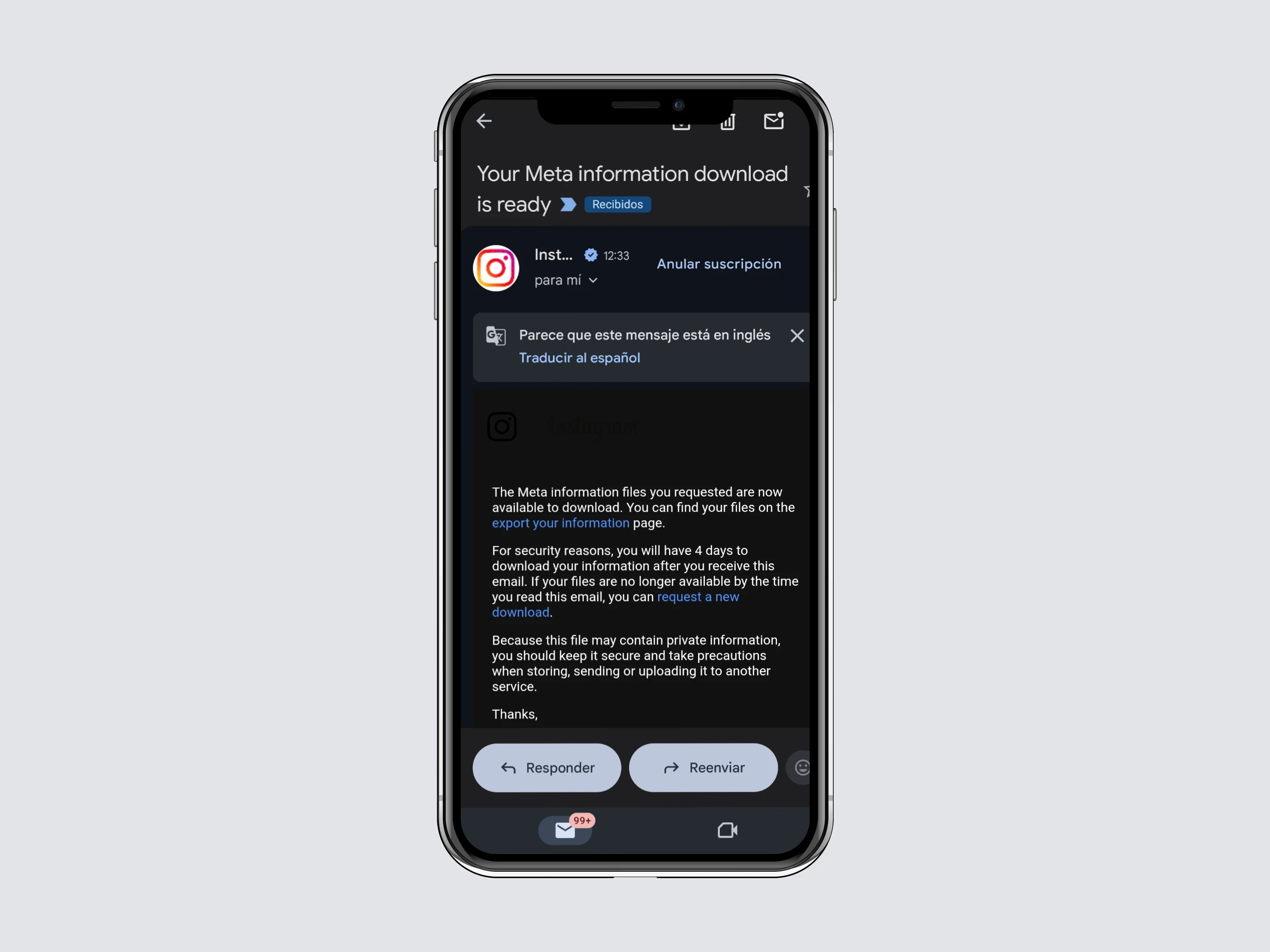
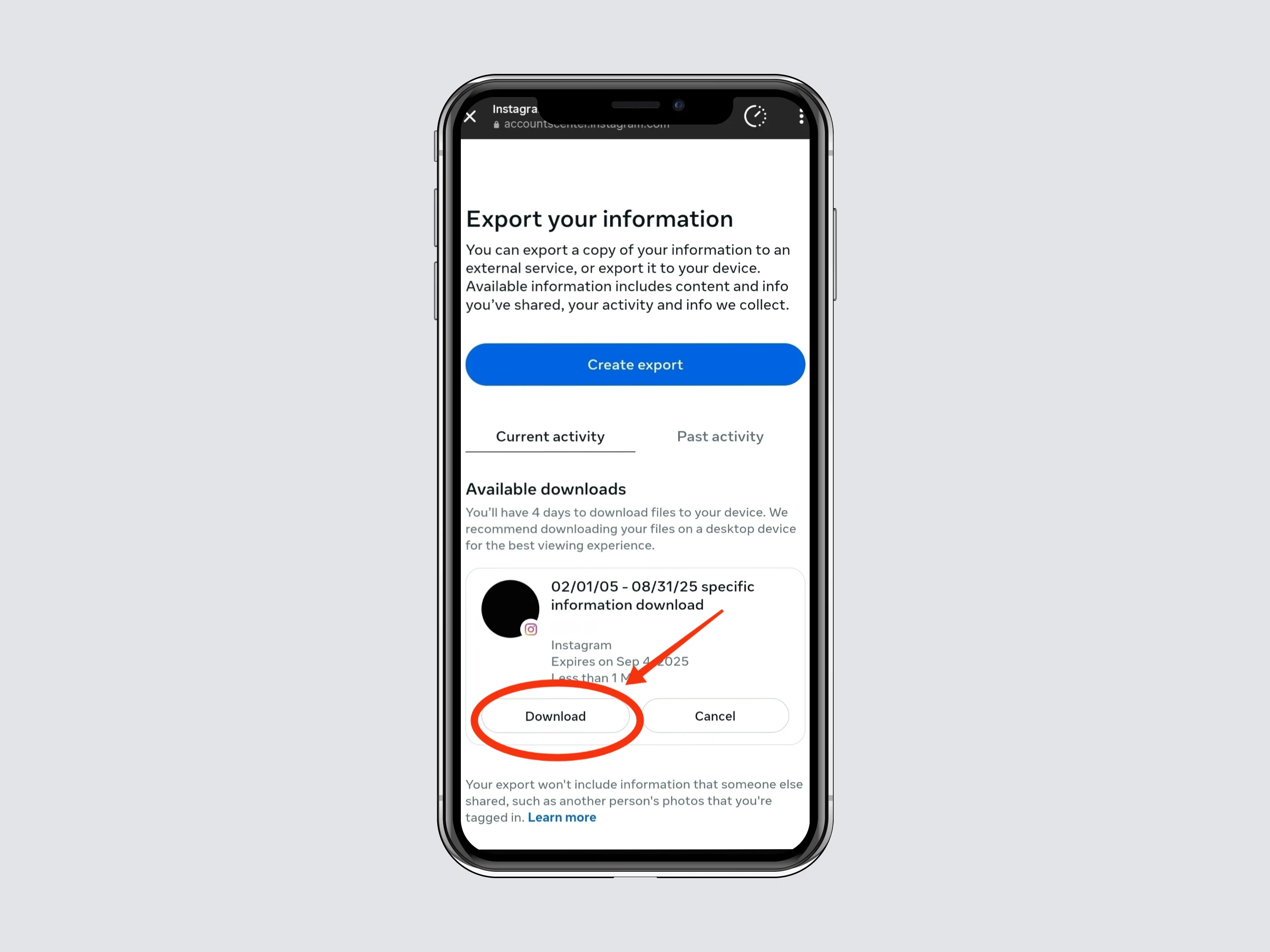
Step 11: Download the Instagram Data ZIP File
Click Download to get your file. Instagram may ask you to confirm your account.
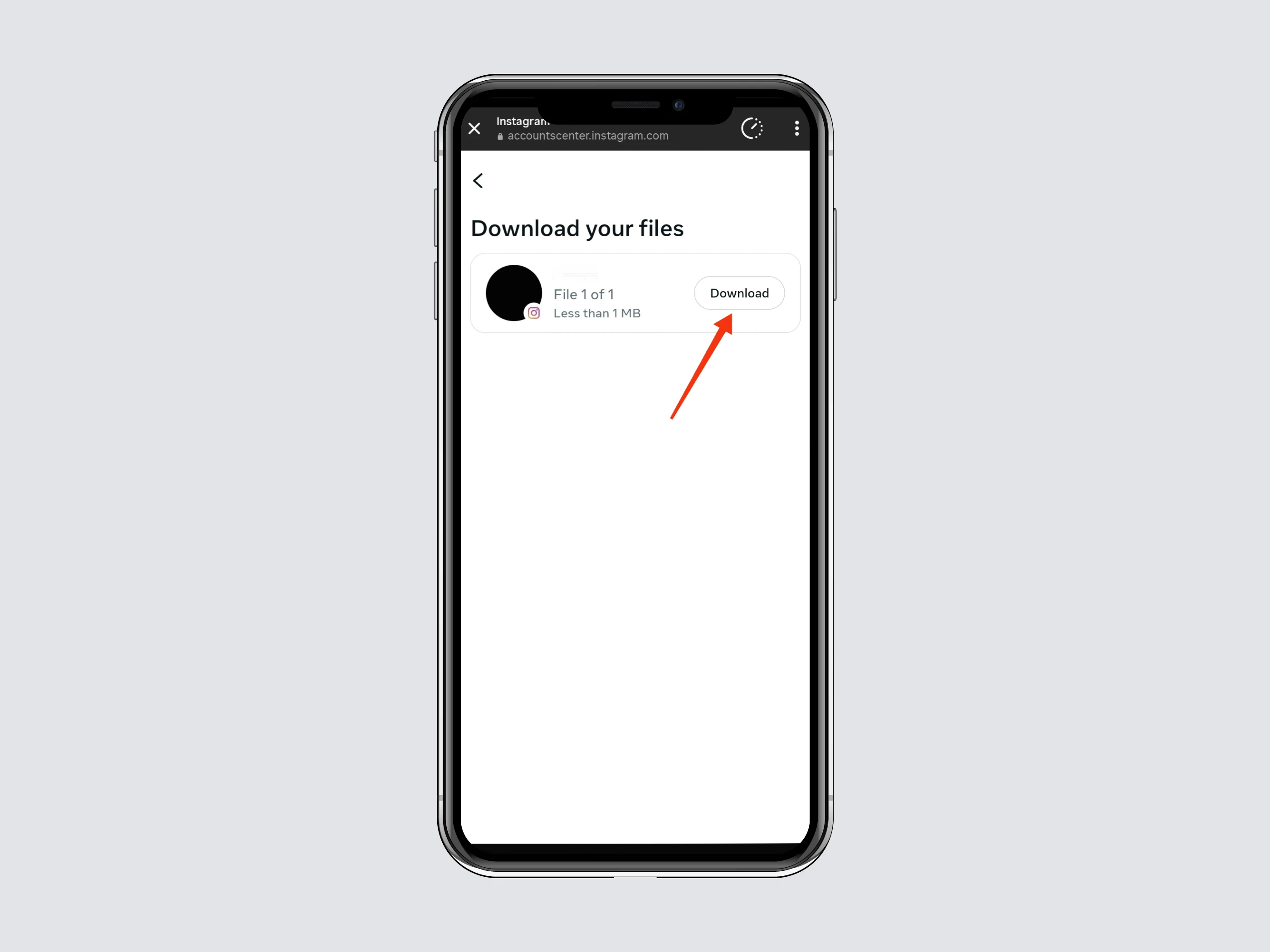
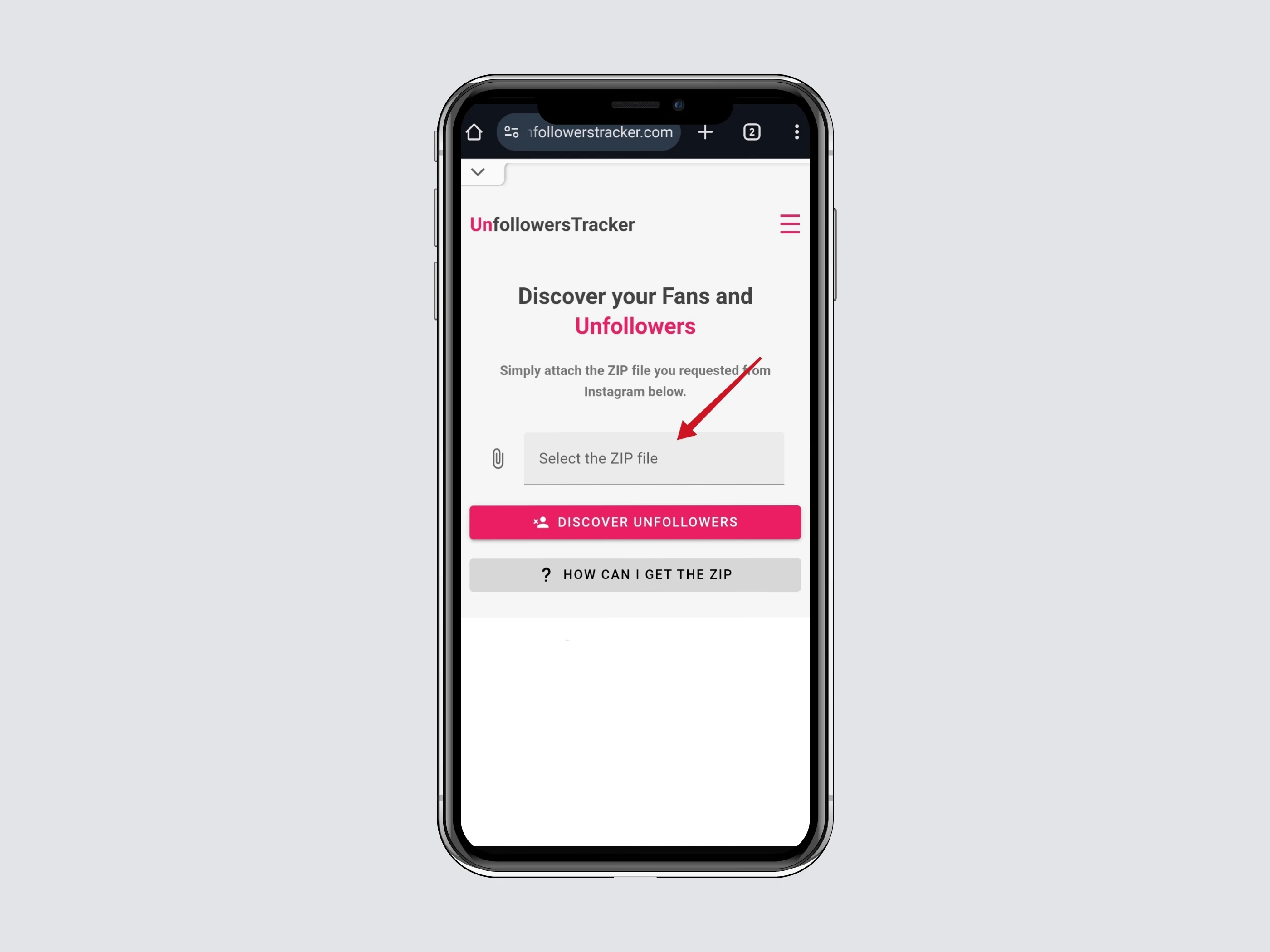
Step 12: Upload to Unfollowers Tracker
Now, open Unfollowers Tracker and upload the ZIP file.
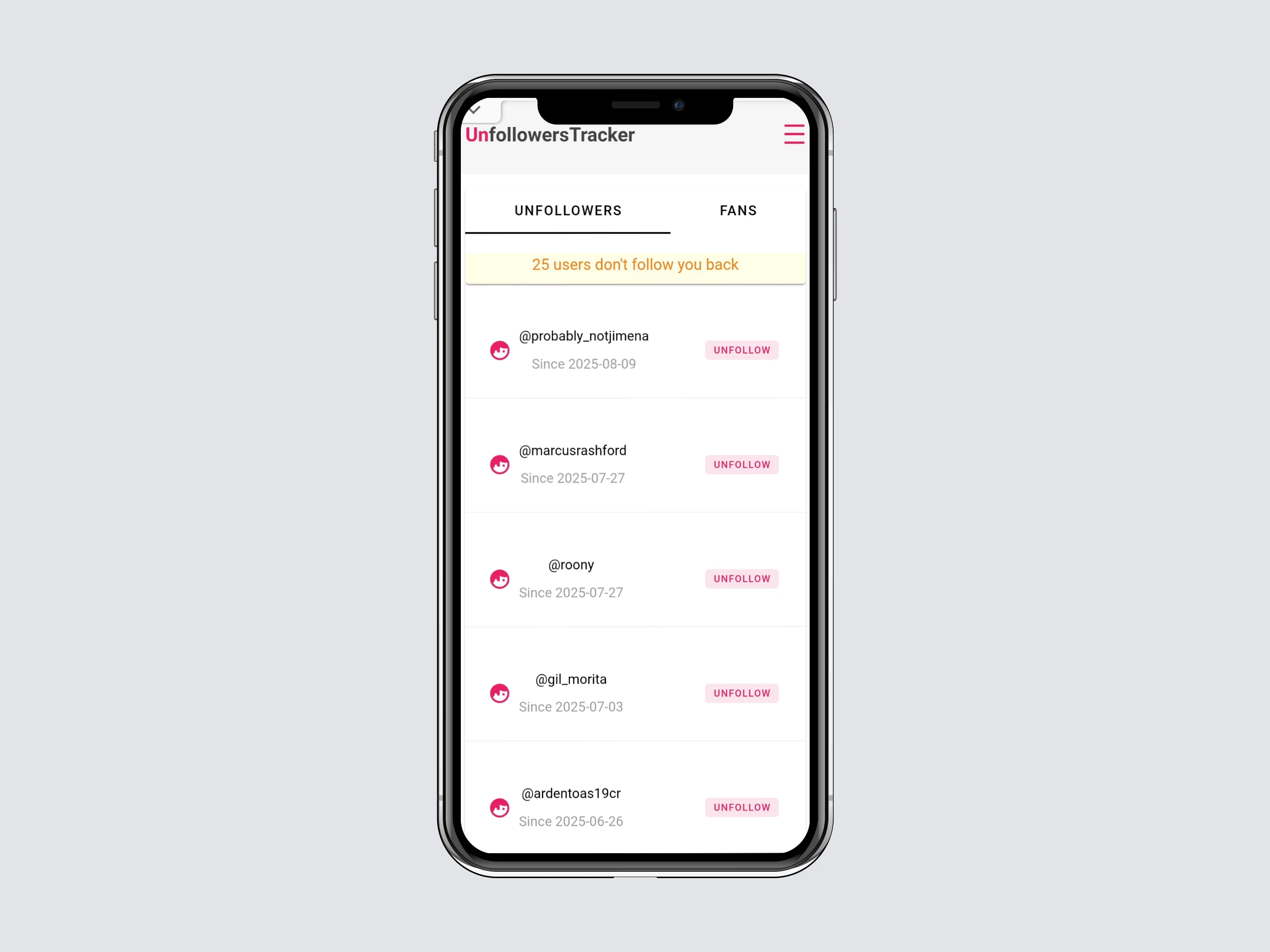
You’ll be able to:
- See who unfollowed you on Instagram
- Check pending follow requests
Why Unfollowers Tracker is the Best Tool
- Privacy and Security: Unfollowers Tracker does not require you to log in with your Instagram account, which means you don’t expose your credentials or risk your account being blocked. Many similar services require full access to your Instagram account, which can jeopardize your privacy and security.
- Ease of Use: The process of obtaining your followers and following information from Instagram is simple and well-documented. You just need to follow a few steps to download your ZIP file and then upload it to Unfollowers Tracker. This makes the tool accessible even to those who are not tech-savvy.
- No Registration Required: Unfollowers Tracker does not ask you to register to use its features. You can get the information you need without providing additional personal data. This reduces the risk of receiving unwanted emails or spam.
- Free of Charge: Unlike many other tools on the market, Unfollowers Tracker is completely free. There are no hidden charges or paid subscriptions. You can enjoy all its features at no cost.
- Reliability and Accuracy: Since the information comes directly from the data provided by Instagram, you can be sure that the list of unfollowers is accurate and up-to-date. This allows you to make informed decisions about your follower list.
- No Risk of Being Blocked: By not requiring you to log in to Instagram, Unfollowers Tracker eliminates the risk of your account being blocked for using third-party services. Instagram can be very strict with accounts that use bots or third-party apps, but by using Unfollowers Tracker, you avoid this problem entirely.
- Safe and Transparent Process: The entire process is transparent and secure. You know exactly what information you are providing and how it is being used. There are no surprises or hidden terms of use.
Related Questions About Instagram ZIP File
1. What is inside the Instagram ZIP File?
It contains the Followers and Following JSON files.
2. Can I use the ZIP file on mobile?
Yes, once downloaded, you can upload it directly to Unfollowers Tracker from your phone.
3. How long does Instagram take to prepare the ZIP file?
Usually 5–15 minutes, but sometimes longer depending on your account size.
4. Do I need the entire ZIP file or just JSON?
Always download the ZIP file from Instagram. Unfollowers Tracker will automatically read the JSON files inside.